Ontology diagrams
Give meaning
a shared shape.
Name the things in your domain, describe what they mean, and make their relationships visible. A hierarchy helps you move from broad concepts to specific kinds and examples.
When is this useful?
Use this view when a team needs a shared vocabulary before designing records, interfaces or workflows. Make “Digital product is a kind of Product” distinct from “Customer places Order.” Add definitions and property notes to make the intended meaning clear.
Read the example
E-commerce from order to fulfillment
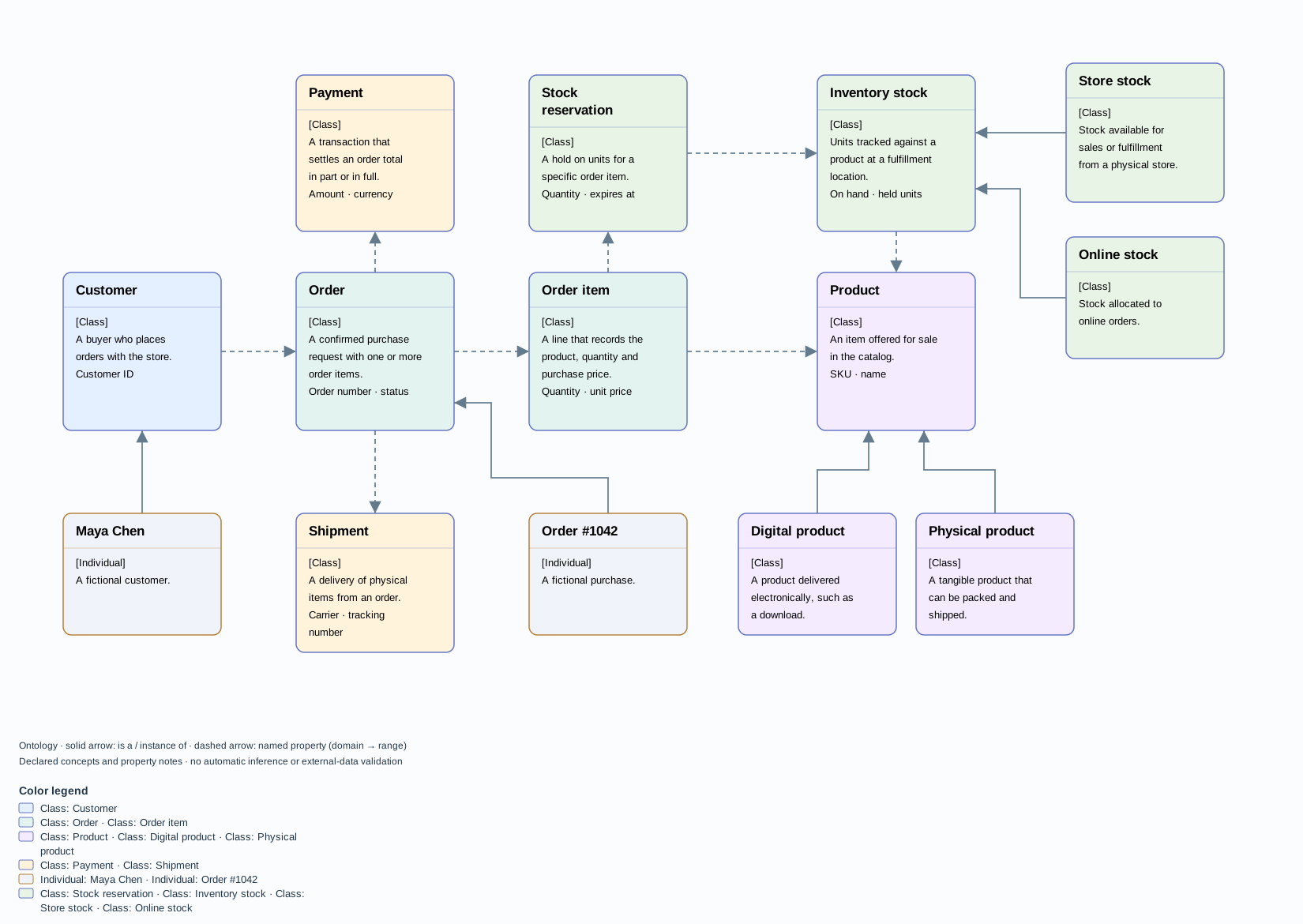
- 1Classes
- A class describes a kind of thing. Digital product and Physical product are subclasses of Product. A class can have more than one broader class.
- 2Individuals
- An individual is a particular example: Maya Chen is an instance of Customer, and Order #1042 is an instance of Order. Each individual needs at least one declared class.
- 3Properties
- Customer places Order defines a named connection from a domain class to a range class. These links can cross the hierarchy. Notes can describe intended attributes and constraints.
See the process
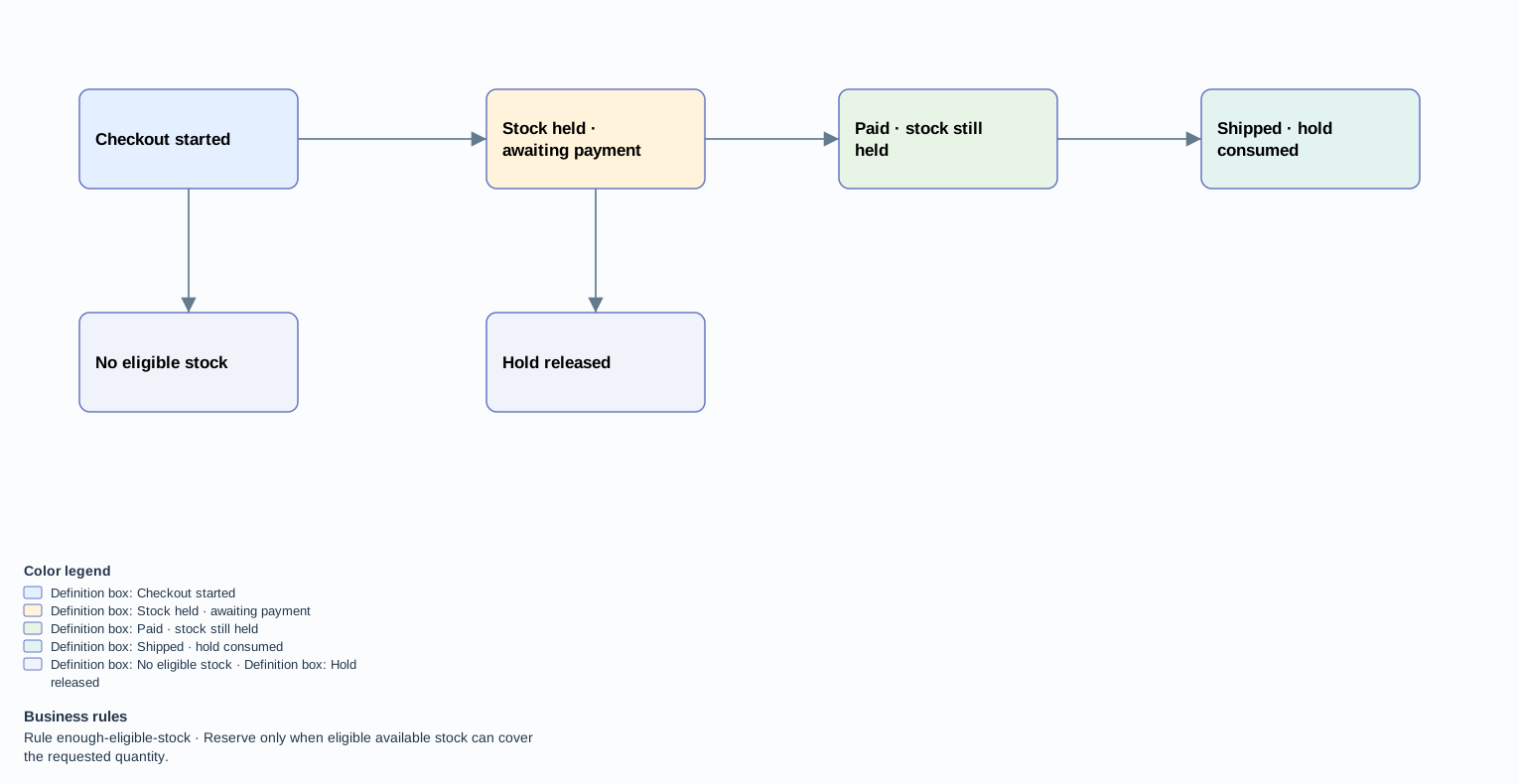
Reserve stock, take payment, then ship
See what the software does
How checkout reserves stock
The ordered request shows who checks availability, which records are saved together, and what happens when there is too little stock.
Open the ordered request ↗A model you can inspect and refine.
Add a root class, select it and add subclasses or individuals. Use a typed connection to add another parent or a named property. Edit definitions and notes in the inspector. Arrange restores the hierarchy; undo, editable JSON and visual exports preserve your work.
This first view records declared concepts and checks its diagram structure, including class hierarchy cycles and valid connection types. It does not run OWL inference, execute constraint notes, validate external records, or import RDF/OWL. Those require a separate reasoning or validation layer.
Design source: the earlier Why Agentic Systems Need Ontologies research. Related standards distinguish RDFS class and property semantics from SHACL graph validation.
Start with shared meaning
What kind of thing is it?
Explore the example, define a new class, and name a relationship. Let the diagram make your assumptions visible.
Try the current editor
Style a concept or a named property
Right-click a concept and open Edit contents… → Appearance to set its background. Right-click a connection to set its line color. The line pattern and arrow still communicate the relationship type. Choose Use default to restore the example’s palette.