C4 architecture
The big picture.
The useful detail.
Explain how software fits together at the level your audience needs. C4 lets you focus on a system, look inside it, then examine the parts of an application.
When is this useful?
Use C4 to introduce an architecture, discuss responsibilities and integrations, or help a new team member understand a system. Choose the view that answers their question.
Explore the levels of detail
One architecture. Several useful views.
Begin with the wider landscape, then zoom through the first three C4 levels. Select a view to see what it explains.
Landscape
The wider environment
Which systems exist, and how do they relate?
See the ordering platform alongside inventory, payments, shipping, analytics, and the warehouse team. This wider view gives you a starting point before focusing on one system.
Try this view ↗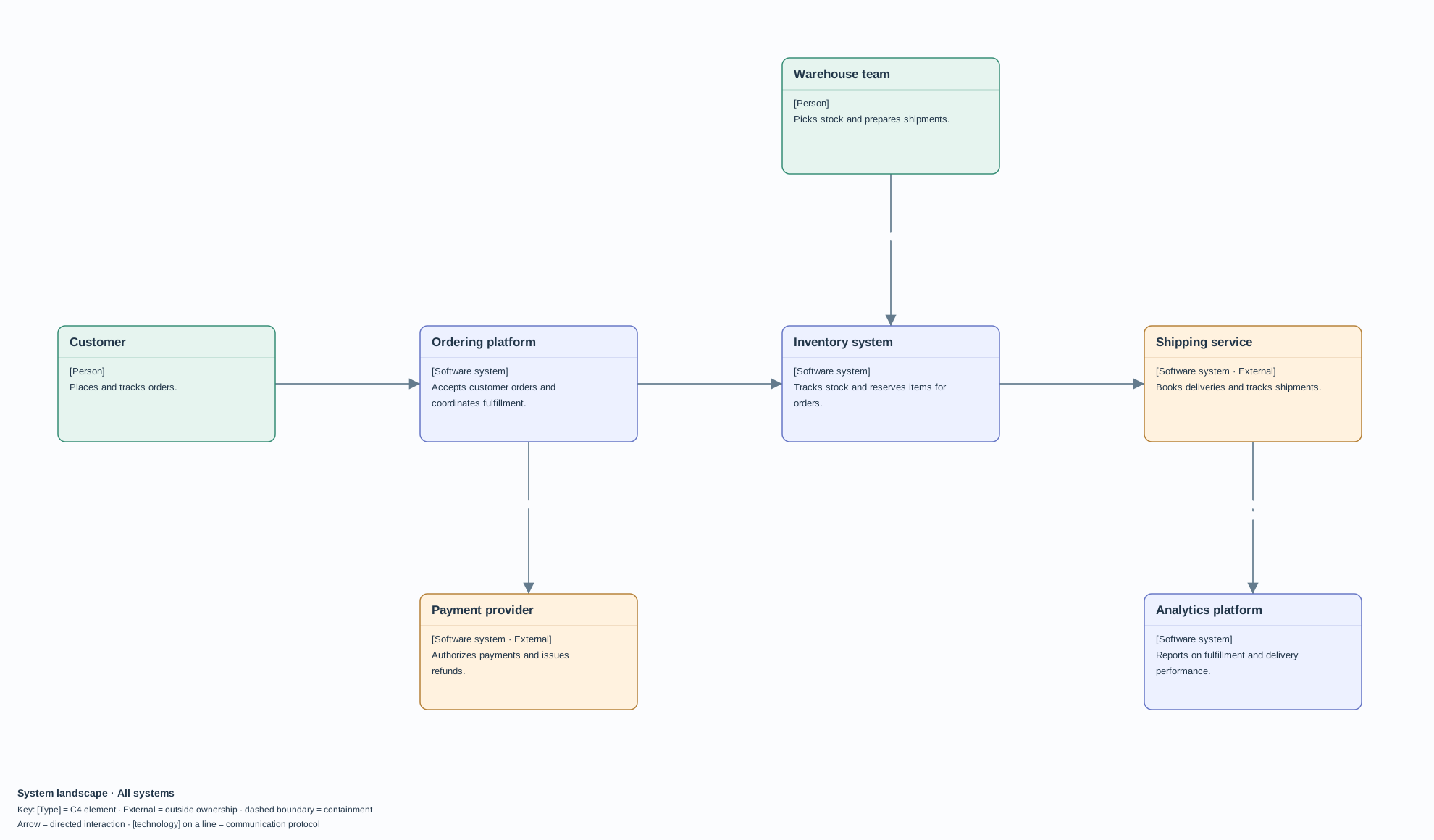
1 · Context
One system in its surroundings
Who uses this system, and what does it connect to?
Focus on the ordering platform as one software system. Its customer, inventory connection, and payment provider show the people and systems it directly interacts with.
Try this view ↗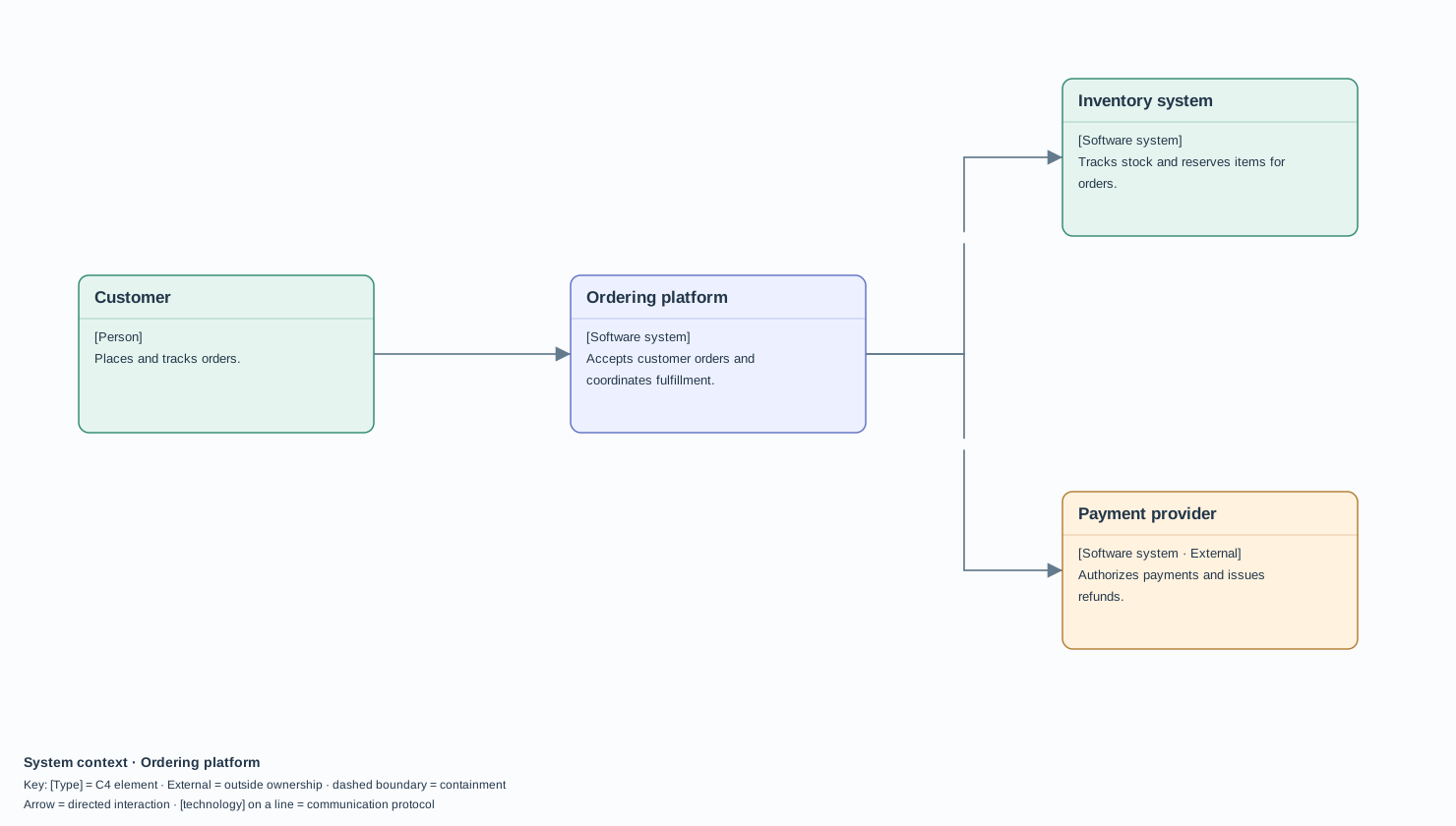
2 · Containers
Inside a software system
Which applications and data stores do the work?
Follow an order from the Web application to the Web API, through stock reservation and payment, into the Order database. A separate Receipt worker completes the background work. In C4, each container is an application or data store with its own responsibility.
Try this view ↗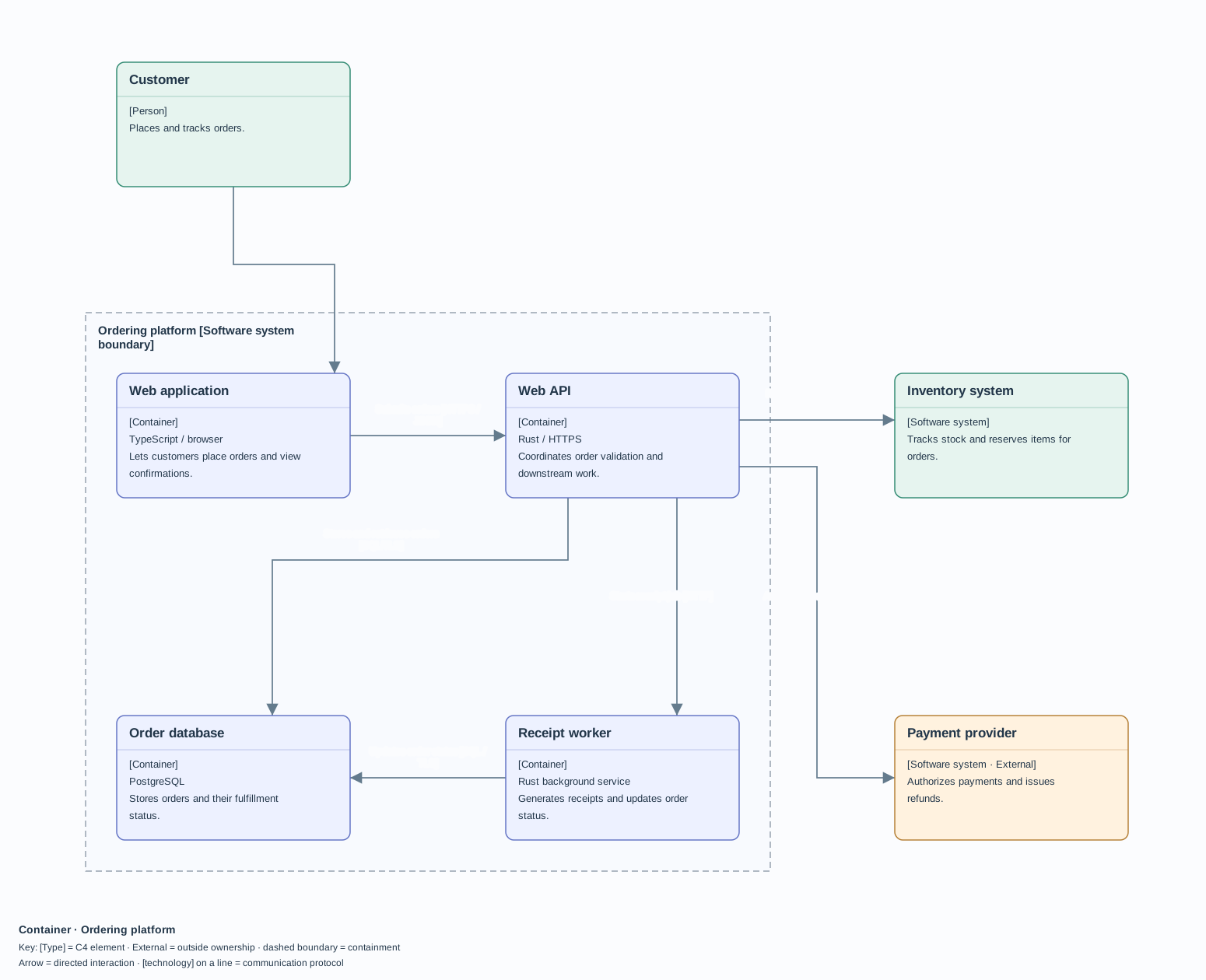
3 · Components
Inside one container
How is this application organised internally?
Inside the Web API, the Order controller and Order service coordinate Inventory and Payment clients. The database and Receipt worker show where work continues outside the API boundary. Follow the labeled connections to read the order flow.
Try this view ↗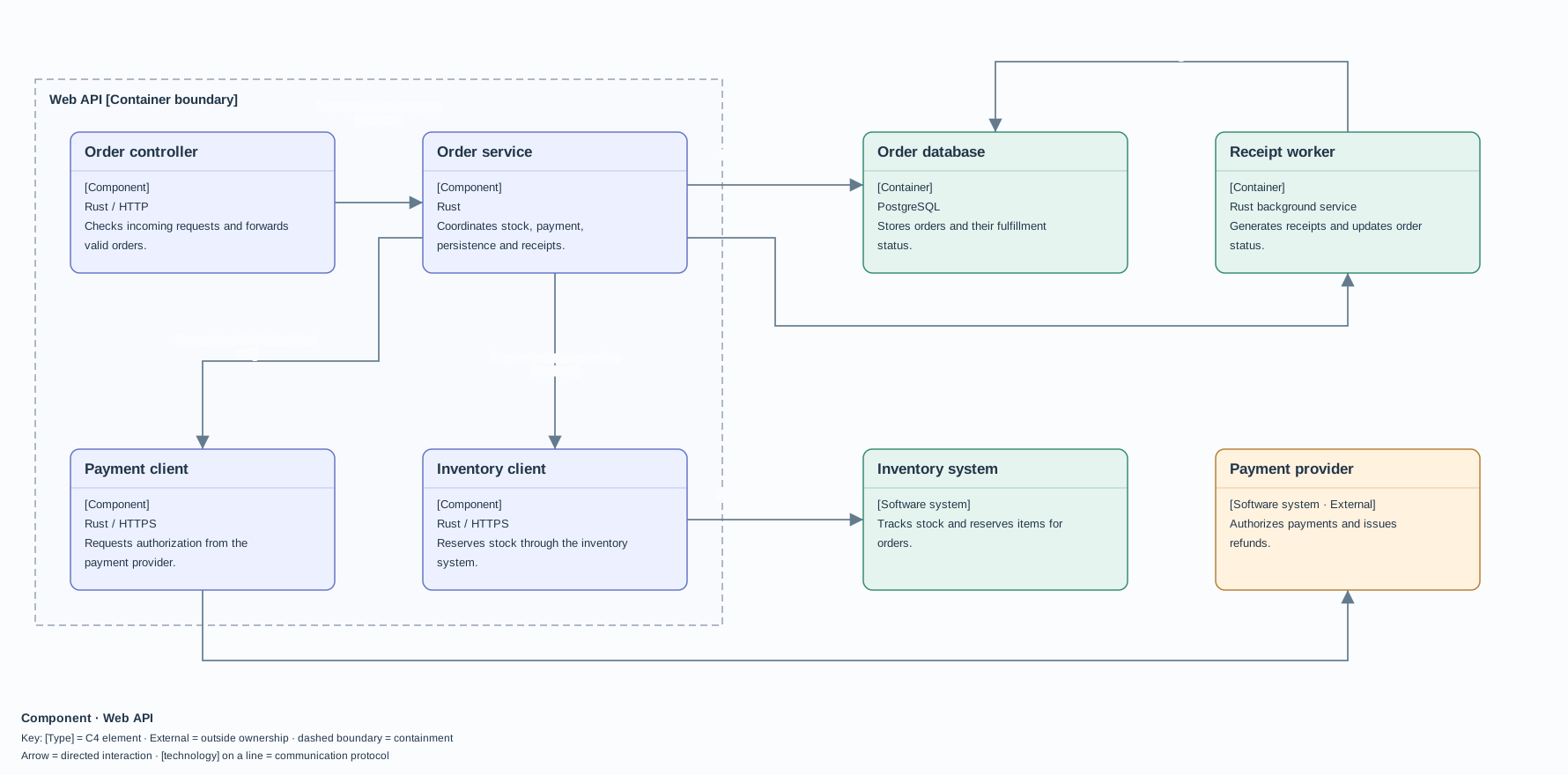
The full C4 model also includes a fourth, code-level view. This demonstration covers landscape, context, containers, and components. Landscape is a supporting view of the wider environment.
What the parts mean
Names, responsibilities, and connections.
- 1Typed elements
- A box names a person, software system, container, or component. The text describes its responsibility, and technology where useful.
- 2Directed relationships
- Read the action along the arrow, such as Reserves stock. A protocol such as HTTPS adds communication detail.
- 3Scope and boundaries
- A dashed boundary groups the elements inside the system or container you are examining. An External label identifies something outside your ownership.
Based on the C4 model’s diagram guidance and container terminology.
Choose your audience
Start wide. Zoom in when it helps.
The example keeps all four supported views in one document. Open it, switch views in the sidebar, and try changing a shared element’s name or responsibility.
Try the current editor
Publish the views your audience needs
Use View → Document Views… to assemble prose and selected diagrams into a briefing. Add System Context for the overview and Containers for the technical audience. A diagram can appear in several briefings. Choose File → Export Document View… to download the selected briefing.